Licence
Creative Commons License

This work by Stephane KATTOOR is licensed under a Creative Commons Attribution 3.0 Unported License.
Feeling like tipping ?
If you find this blog useful, you might consider sending a few bitcoins to support it : 1BTtsC3beGJ6ysd8DhrXjdo6jVw5WD9mvY
RSS
 
RSS Feed
Follow me !
Tech@Sakana on Facebook
Search this site

Newsletter

Get latest posts by email (No spam, only posts):

Enter your email address:

Delivered by FeedBurner

Categories
Monthly archives
February 2012
M T W T F S S
« Jan    
 12345
6789101112
13141516171819
20212223242526
272829  

Category: Web

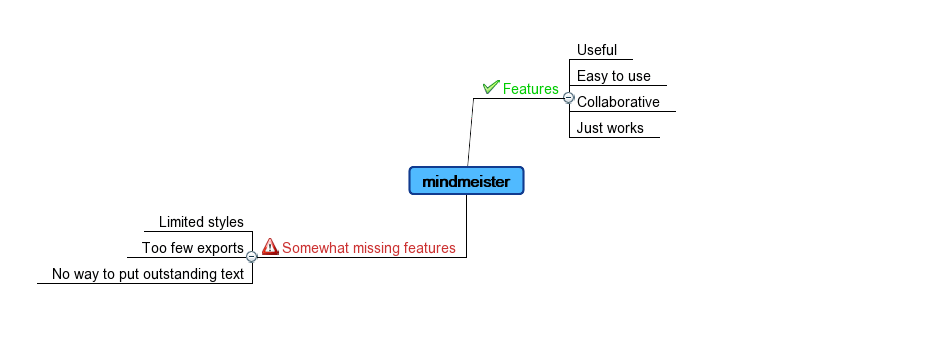
MindMeister : an online collaborative mindmap tool - February 28, 2007 by Stephane Kattoor

MindMeisterMindMeister is an online mind mapping tool. Even though it is in “private beta”, it seems very promising. read this entry »

My own analysis of “FeedBurner’s View of the Feed Market” - February 22, 2007 by Stephane Kattoor

Burning Questions • FeedBurner’s View of the Feed Market

In this article, FeedBurner gave us quite a few insights about people’s habits regarding RSS feeds. Anyone having a blog or website can use this article to be more friendly to the readers, to boost RSS feed subscription, and to help growing the revenue you get from your website.

read this entry »

LinkedIn – Be easy to reach - February 21, 2007 by Stephane Kattoor

LinkedIn lets you connect to people you know. This connection is made by sending someone an email with a link to allow that connection. But how to let people connect to you, if they don’t know your email address ?
read this entry »

Twitter is fun ! - February 12, 2007 by Stephane Kattoor

Twitter is a website where you can post things.
Just one more blog ? Not really …

read this entry »

WordPress Templates - September 24, 2006 by Stephane Kattoor

WordPress is a great blogging software, which is both feature rich and simple to use. For most beginners, it will be enough to install it and start using it. For most advanced uses and to get more control, you’ll need to tweak with the templates.

Overview

A WordPress blog is composed of the following sections :

  • header : this is the top of your page (usually a banner for your blog)
  • footer : this is the bottom of your page (few links, statistics, …)
  • page : this is where the main content goes (posts)
  • sidebar : this is the sidebar (widgets, archives, recent posts, tags…)

Altering your template

Rather unsurprisingly, altering your template can be achieved by modifying the template files corresponding to the section you want to modify.
Those files are located in your theme directory (usually something like wordpress/wp-content/themes/YOUR_THEME) and their name is the section name with an extension of “.php”. So if you want to change the sidebar, then you’ll go and edit sidebar.php.

Why to change the template?

You might want to change your template files for many purposes :

  • aesthetics (for example reordering the sections of the sidebar)
  • use of third party services (for example Google Analytics for statistics, Google AdSense for advertising, Feedburner to advertise your feeds, and so on)

For example, if you need to include some javascript code in every pages of your blog in order to get correct statistics, it may be a good idea to considering adding it in your footer.php .

If you want to include advertisement below every of your posts, you might consider adding it in the page.php .

When you’ll start tweaking your template, you’ll realize that it opens a real broad horizon of features, which will allow you to get more and more control over your blog…
Fun with google maps - August 9, 2006 by Stephane Kattoor

I’ve written 2 sample applications to demonstrate how easy it is to use the API v2 of Google Maps.

I was honnestly surprised to see how easy it actually is… Have a look at the source of the pages and see for yourself ;-)

read this entry »

Using del.icio.us as a web based inventory - June 10, 2006 by Stephane Kattoor

del.icio.us is a website where you can store your bookmarks, tag them to easily find them afterwards, and it is social bookmarking in the sense that your bookmarks can be searched, and so are others’ bookmarks, building a kind of giant directory of humanly maintained links to the world wide web.

But you can go beyond saving your bookmarks and searching others’…

read this entry »

Websites with Catalyst - April 9, 2006 by Stephane Kattoor

If you like Perl and you make dynamic websites with databases backends, Catalyst is definitely worth a look.

It is basically an MVC engine for websites. It lets you nicely separate your business logic, the display and the database backend.

It has extended plugins to deal with things like authentications, sessions, templates, RSS, and God knows what :)

It can integrate Apache, and harness mod_cgi’s power for high-performance web applications.

It is a little bit tricky to get it right at the beginning, but there are nice tutorials.

Have a look ! :)

Main website you’ll find everything there

new entrys »
Who am I ?
Ads