shell tip : identify broken symlinks
stephane
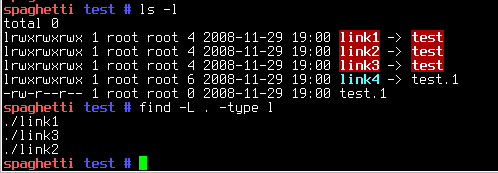
If you need to identify broken symlinks, you can do the following :
find -L . -type l
The -L options instructs find to follow symlinks when possible. Hence no “working symlink” will ever get returned as the targets won’t match -type l (meaning “file is a symlink”).
On the other hand, find will not be able to follow broken symlinks, so the information will be taken from the symlink itself and not from the non-existent or otherwise unreachable target. The -type l will then be a match and the broken symlink filename will be returned.
Case solved 😉
Thanks to the “Ferg’s Gaff” blog (especially the comments) for showing the way !